| Projector | ||
| Resolution | 1,024 x 768 pixels (XGA) | |
| Brightness (Lumens) | 3300 lumens | |
| Contrast Ratio | 20,000:1 | |
| Lamp Life | up to 20,000 hours | |
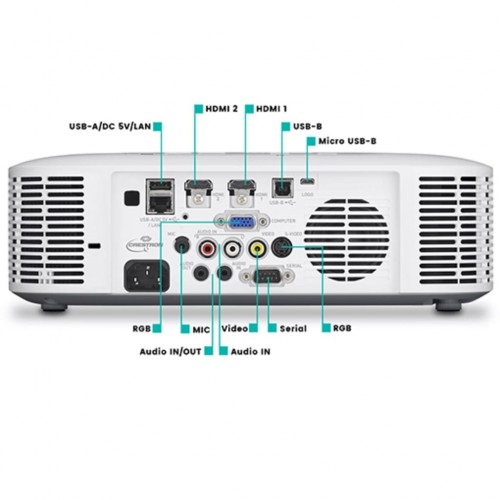
| Interface | HDMI type A × 2 mini D-Sub 15 pin × 1 YCbCr/YPbPr (used for both analog computer input and component input), Analog video: Composite (RCA) × 1 3.5 mm stereo mini jack × 1, RCA × 1 [R/L], Audio: Input: 3.5 mm monaural mini jack (for Mic.) × 1 Audio: Output: 3.5 mm stereo mini jack × 1 (variable audio) USB 2.0 Type-A × 1 for USB memory USB 1.1 Micro-B × 1 RJ-45 × 1 RS-232C (D-Sub 9pin) × 1 |
|
| Power | AC 100-240V, 50/60Hz Operating (default setting) (Light Output 7): 160W Operating (minimum setting) (Light Output 1): 80W Operating (Bright): 195W Standby AC 100-120V Remote OFF/ON: 0.12W Standby AC 220-240V Remote OFF/ON: 0.23W |
|
| Color | White | |
| Dimension | (W x H x D): 299 × 97 × 299 mm | |
| Weight | 3.8 kg | |
| Warranty | Manufacturing Warranty 3 Years Warranty (Light Source warranty 6000 hours or 3 Years which comes 1st) |
|
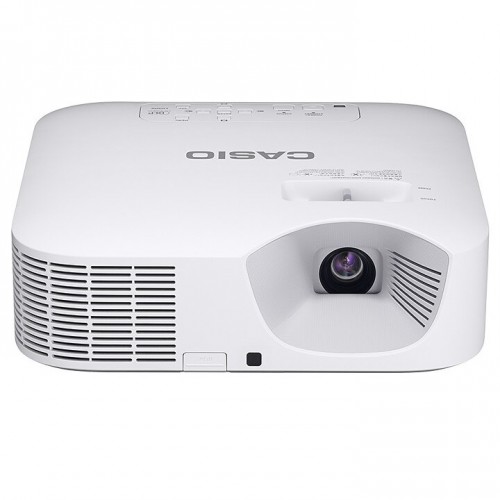
The CASIO XJ-F21XN 3,300 lumens Projector is mainly used for educational purpose. Just clicking on the One Click Connection (“OCC” hereinafter) icon set up for each classroom creates a wireless connection with the projector and initiates projection. The time and effort spent on activities such as establishing cable connections, switching inputs and making wireless settings are significantly reduced, so that classes can begin right away.Creation of the OCC file and the projector connection settings can be conducted on the IT manager’s web browser. This spares IT managers the trouble of constructing a network environment. This function makes it possible to manage the projection operations of students’ PCs collectively by smartphone or tablet. The teacher can select any student’s PC from anywhere in the classroom and project the relevant contents onto the screen immediately. This is a practical way of enhancing teaching efficiency and increasing student participation through activities such as presentation of assignments. A maximum of 40 devices can be connected simultaneously including teacher’s devices. When students click the OCC icon to indicate completion of a classroom assignment, their user name is displayed in a list on the teacher’s smart device screen. This makes it easy for the teacher to tell which students have completed the assignment and to select students to present their solutions while still circulating the room.
Get specific details about this product from customers who own it.